
Free while we’re in testing · No card needed
See how Rivoro runs your jobs, from quote to paid
Quotes, scheduling, invoices and payments in one simple place, made for landscapers, cleaners, handymen and other small service businesses. Here’s one job, start to finish.
Animated demo
Add a customer. Start with a name. Phone, email and address are optional, and you can bring a whole list over from a spreadsheet.
See the real thing
Screenshots from the app itself, so you know exactly what you’re getting.
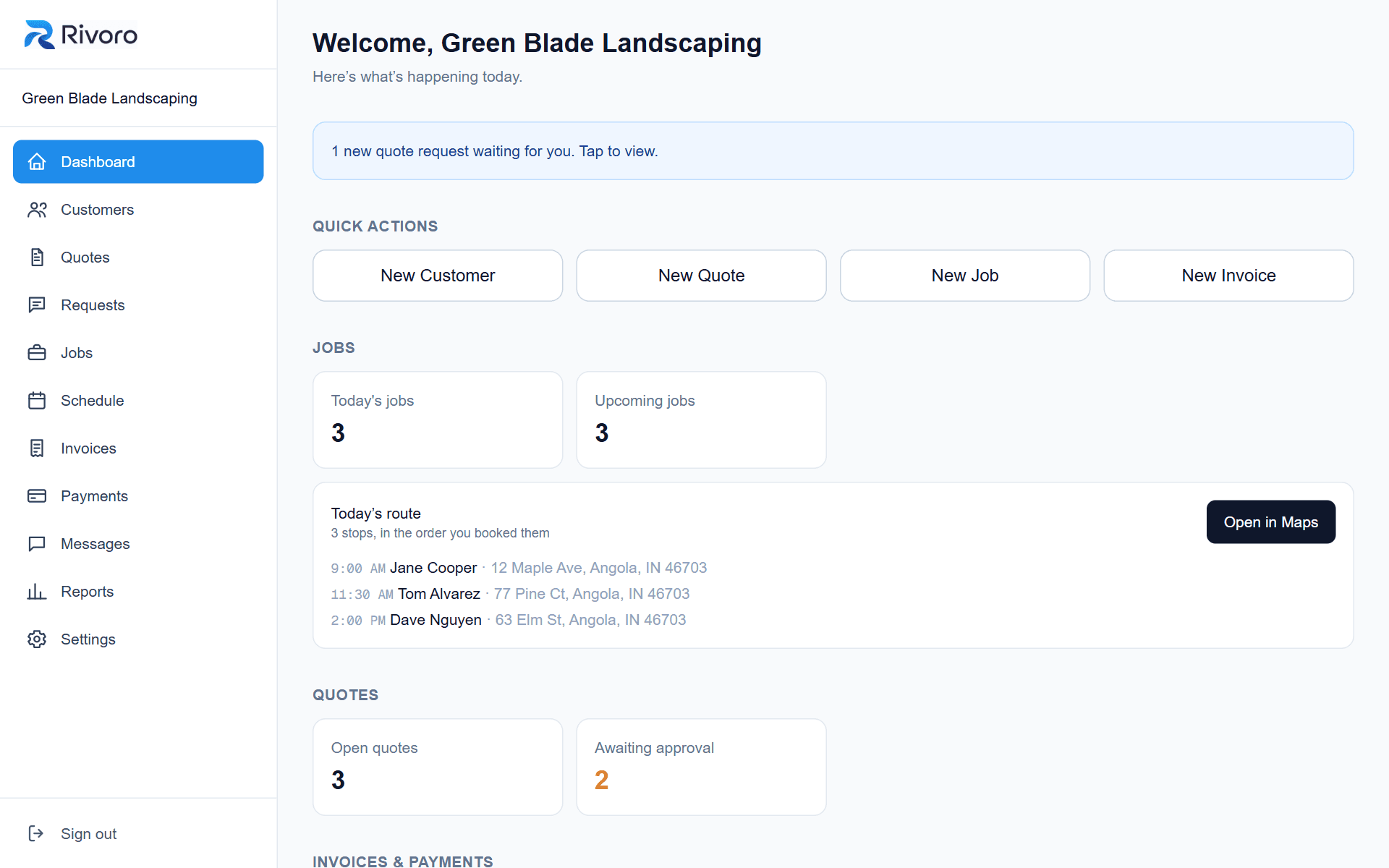
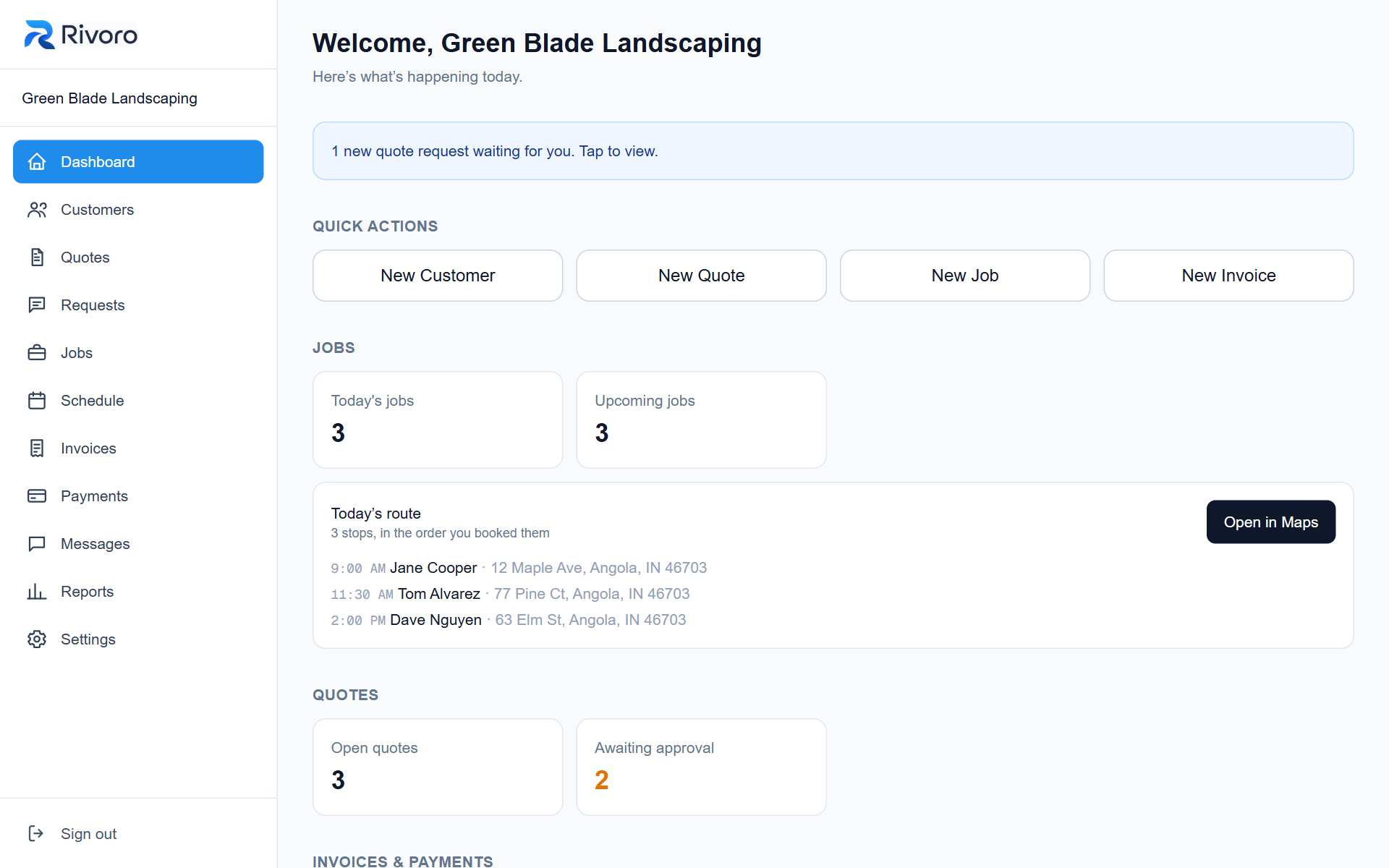
Your day at a glance
Today's jobs, a one-tap route for the day, and anything that needs your attention.
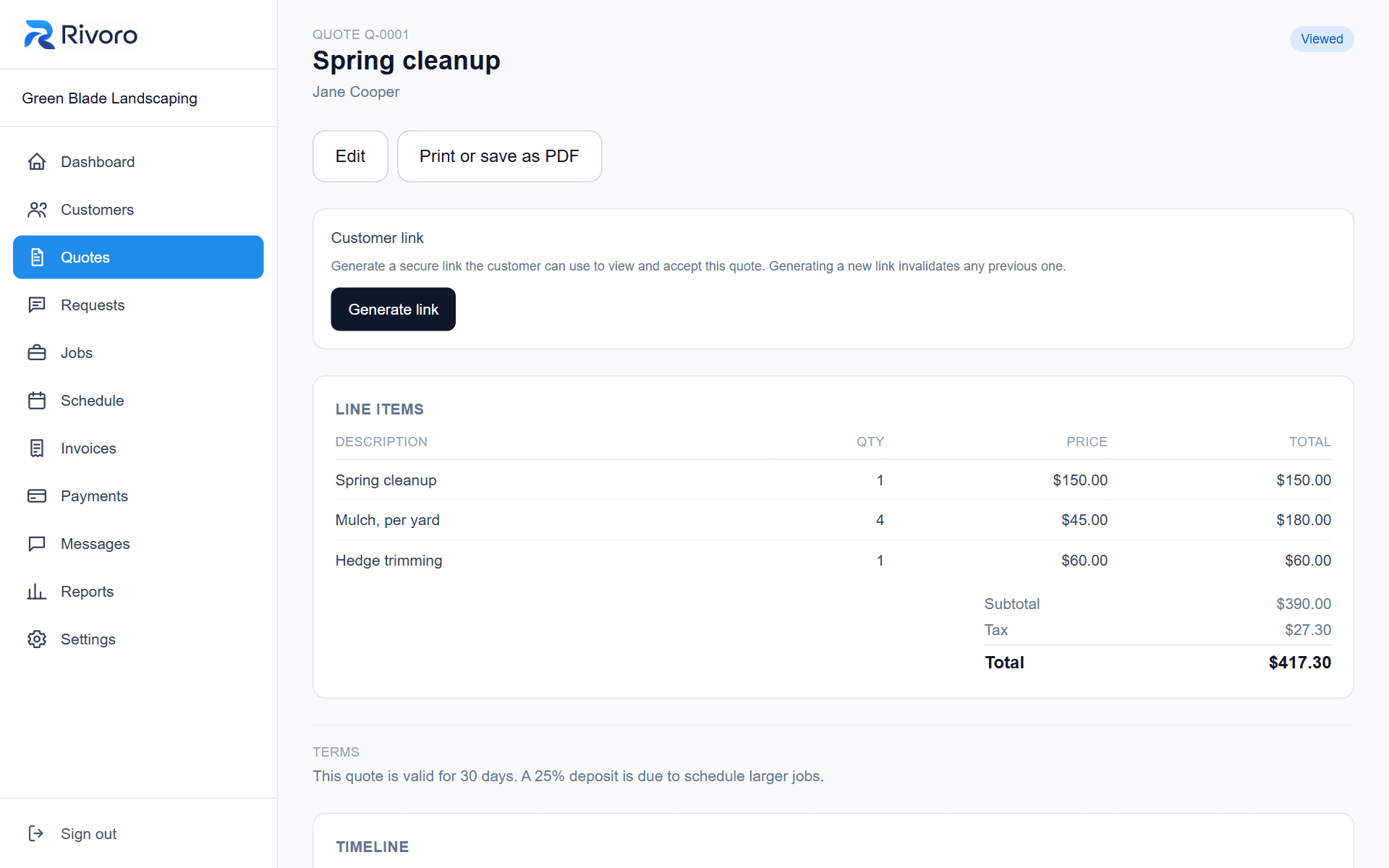
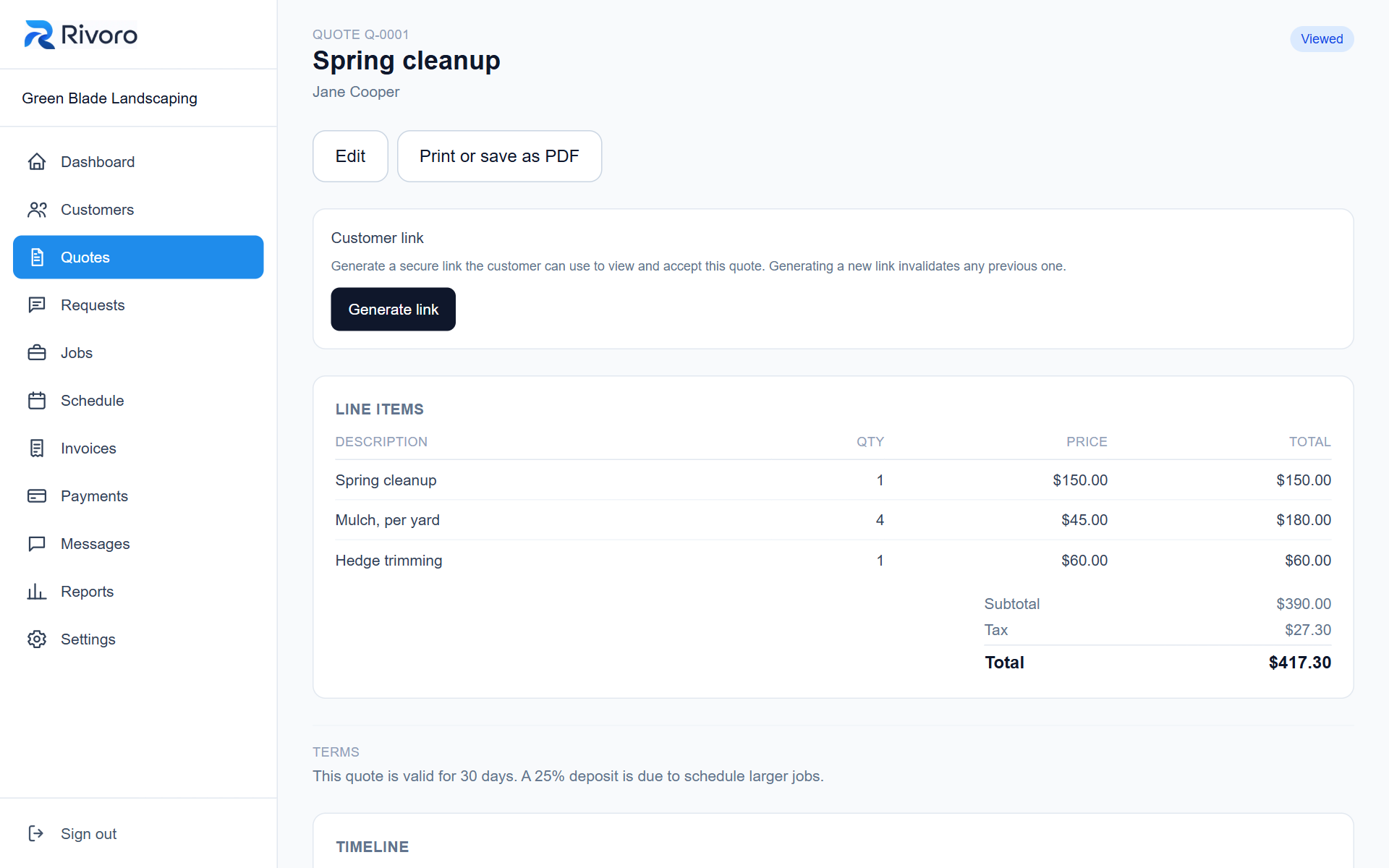
Quotes with your own wording
Line items, tax and your terms, ready to send. Customers accept online.
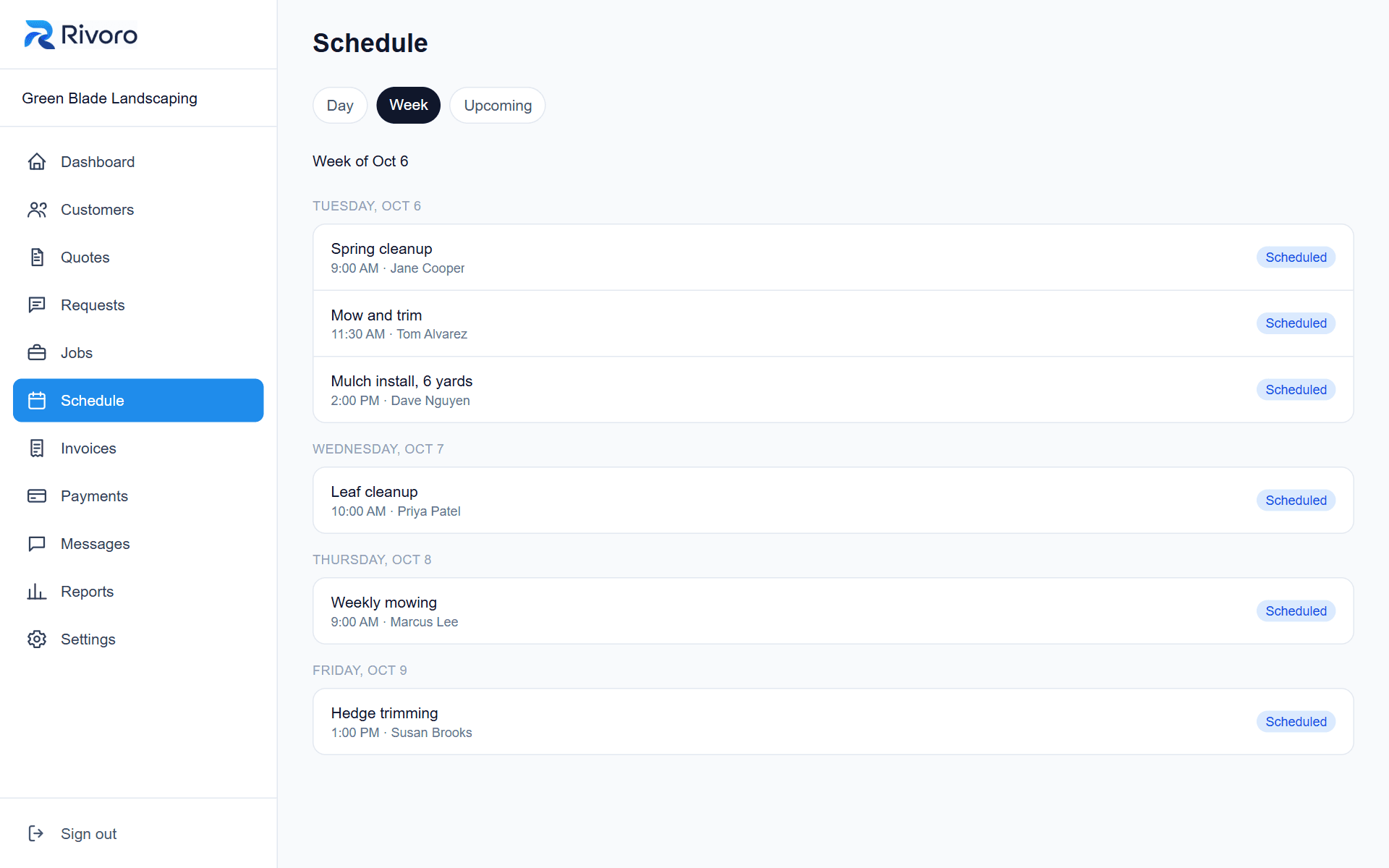
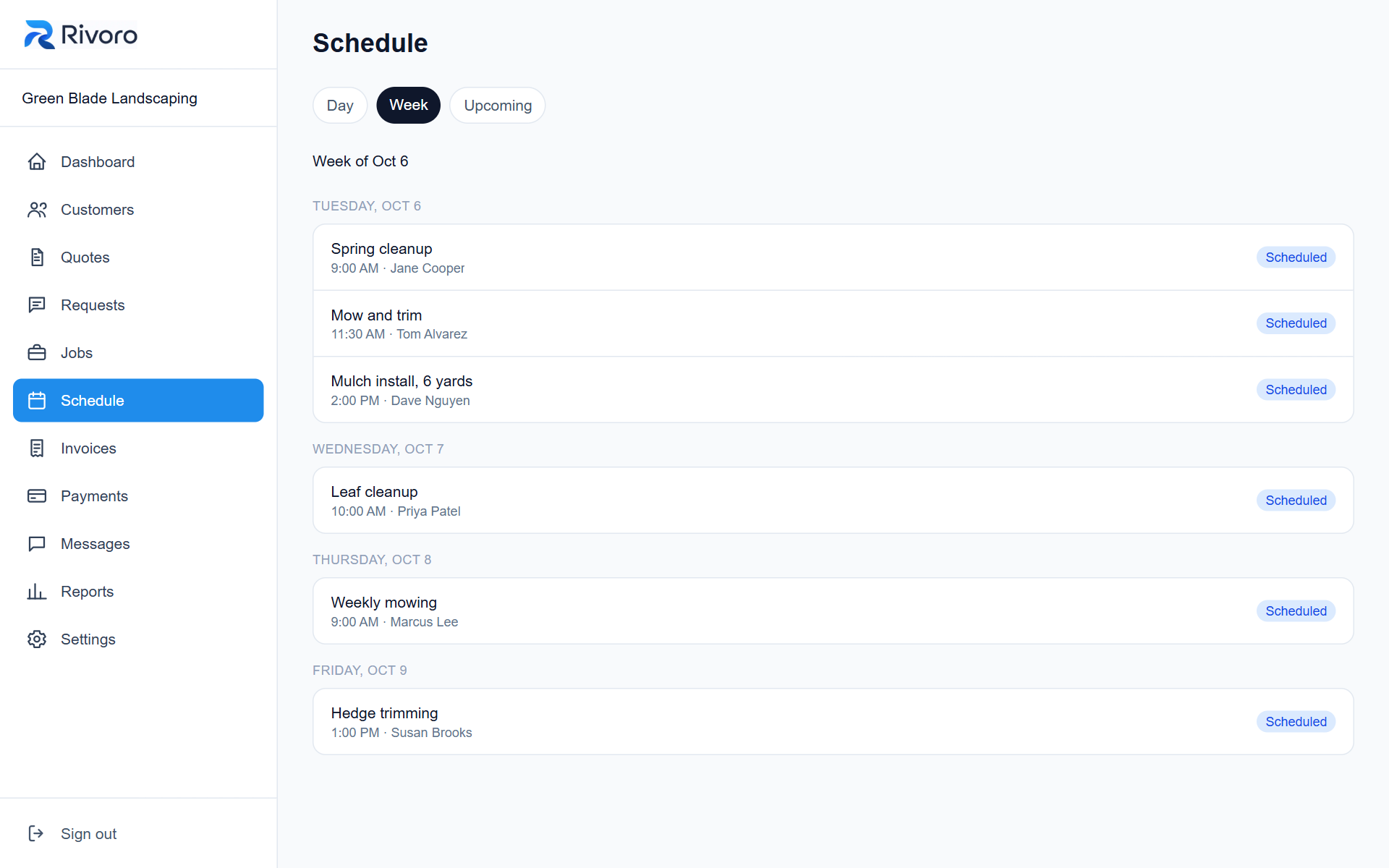
A simple schedule
The week's work, in order, with who it's for and when.
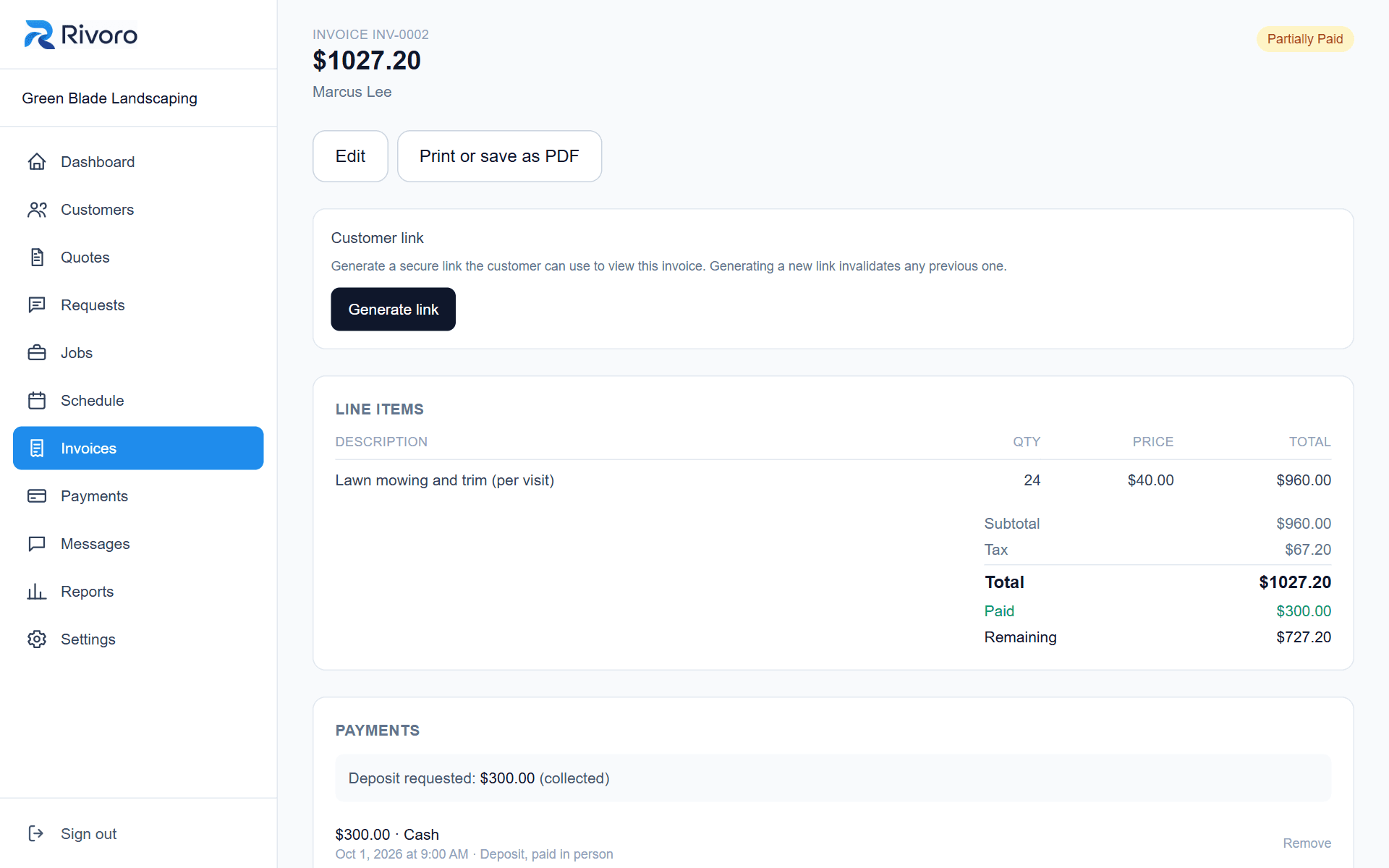
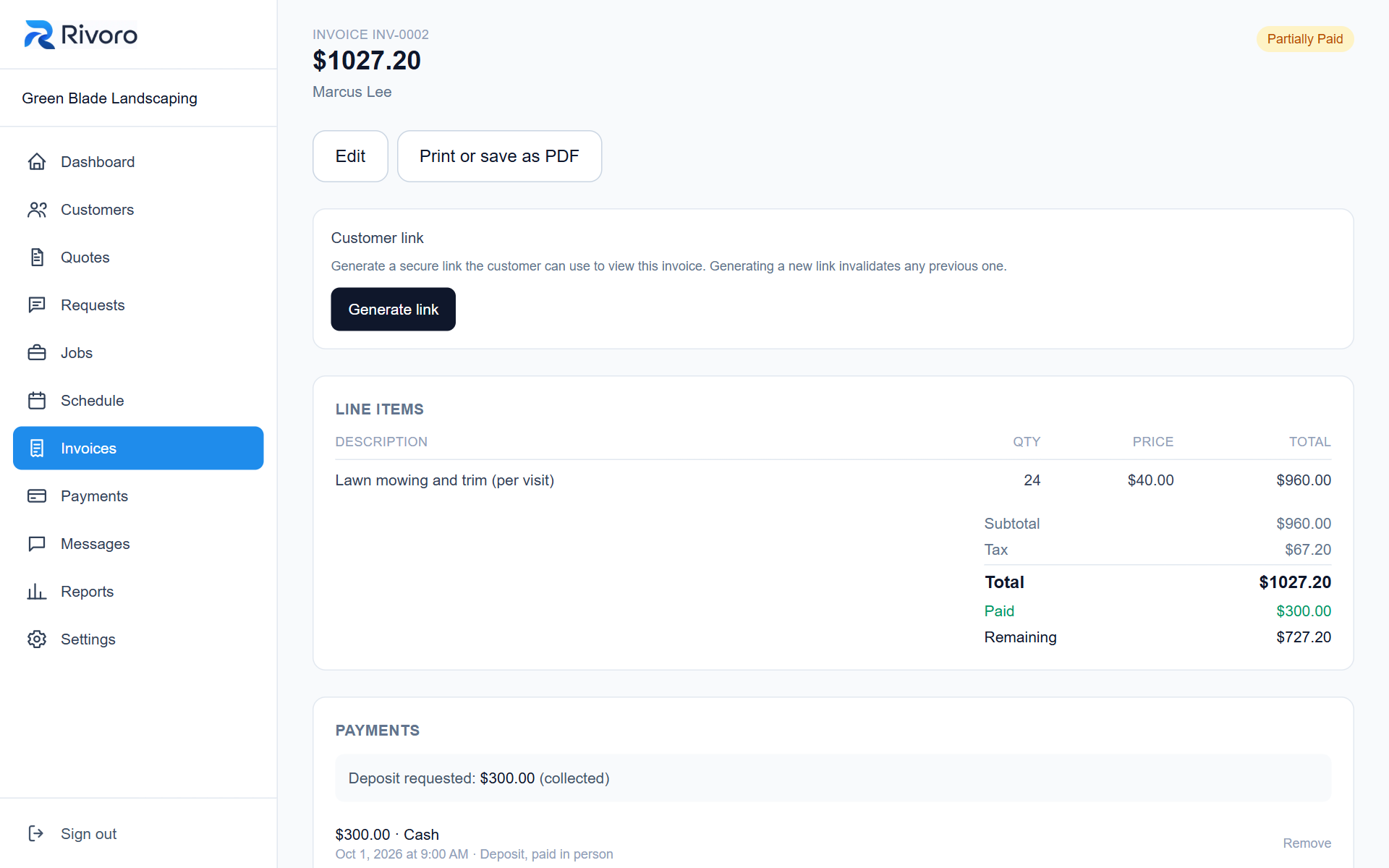
Invoices, deposits and part payments
See what's been paid and what's left, including cash and check you record yourself.
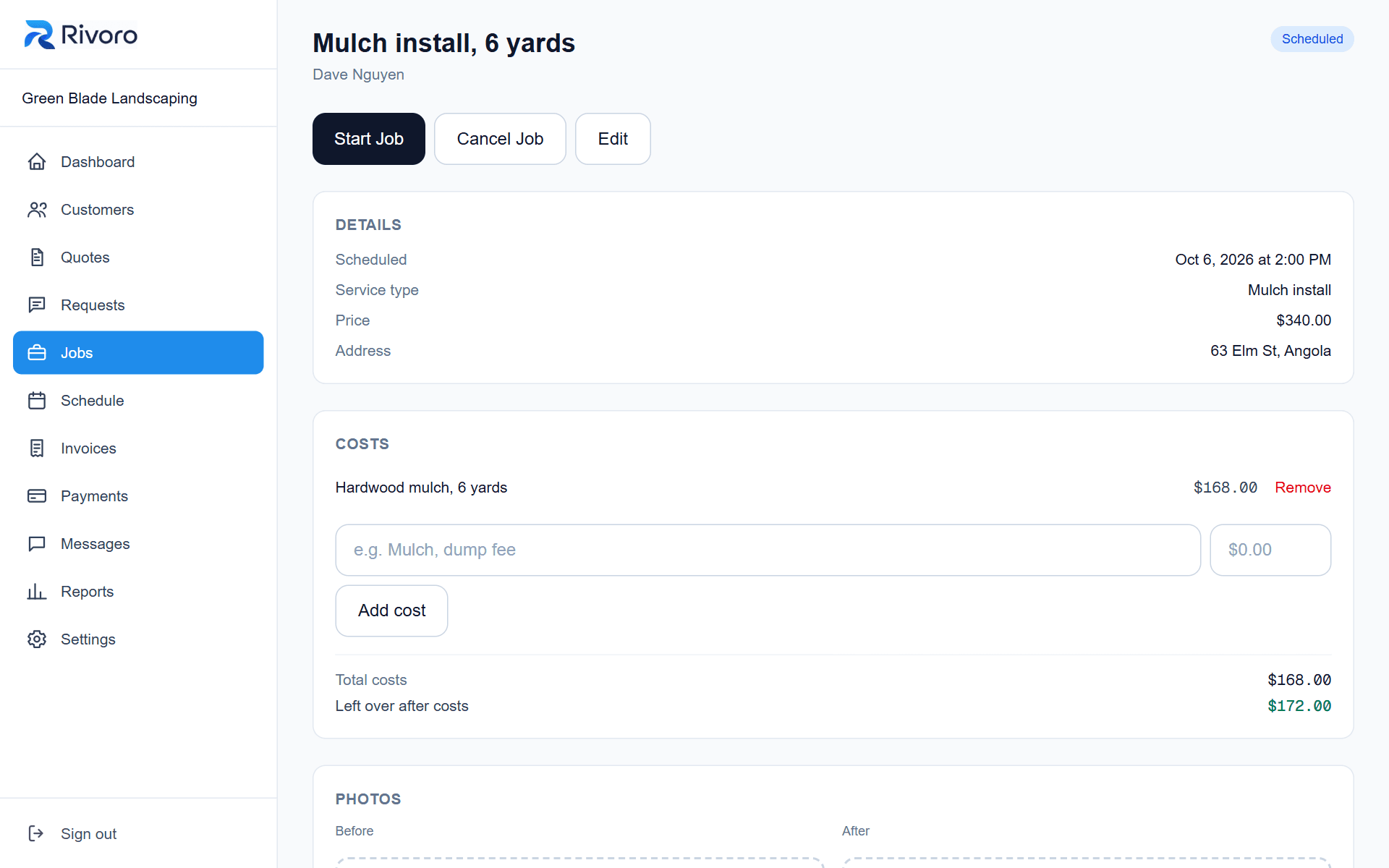
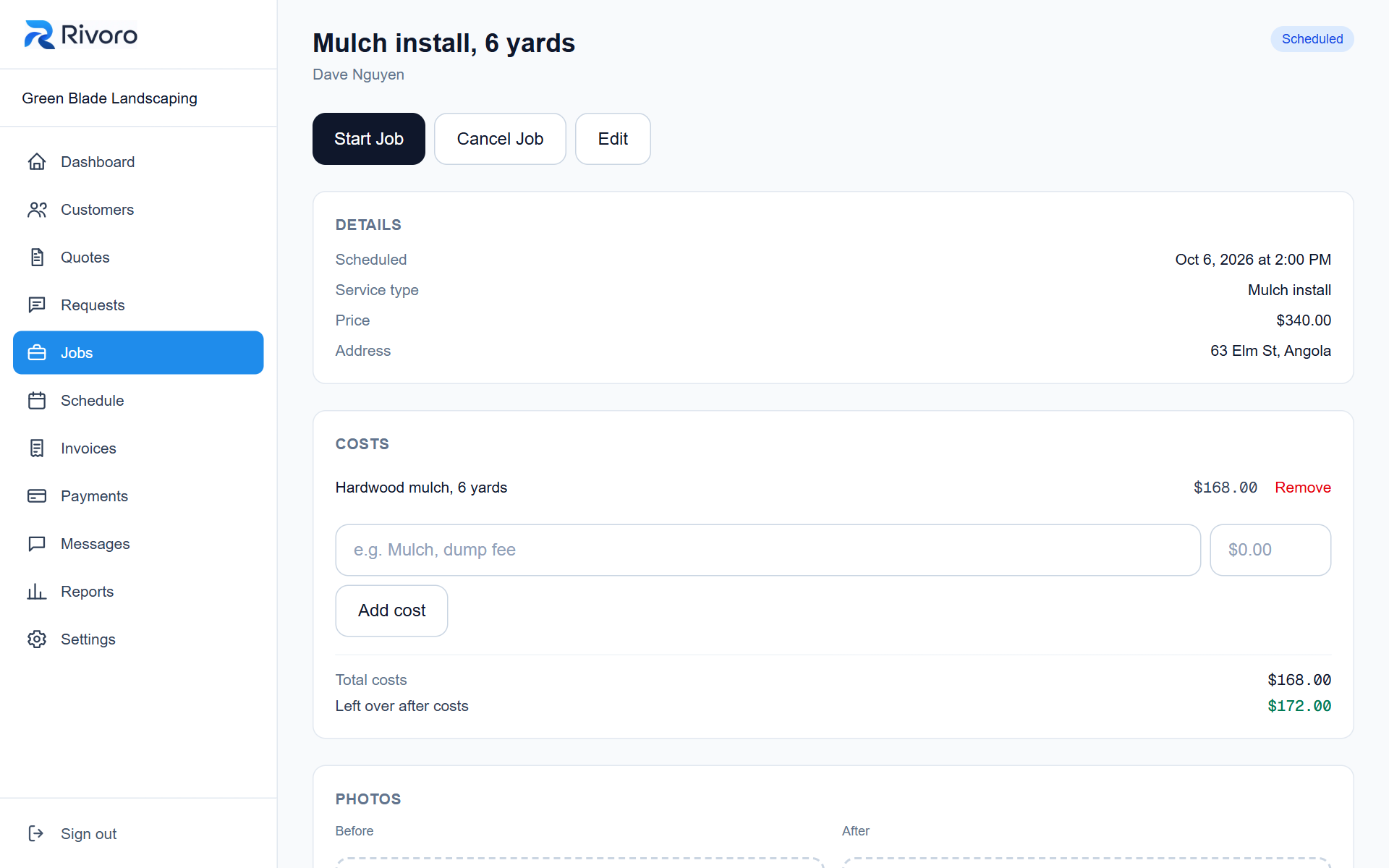
Jobs with costs
Note what a job cost you and see what's left over once it's paid.
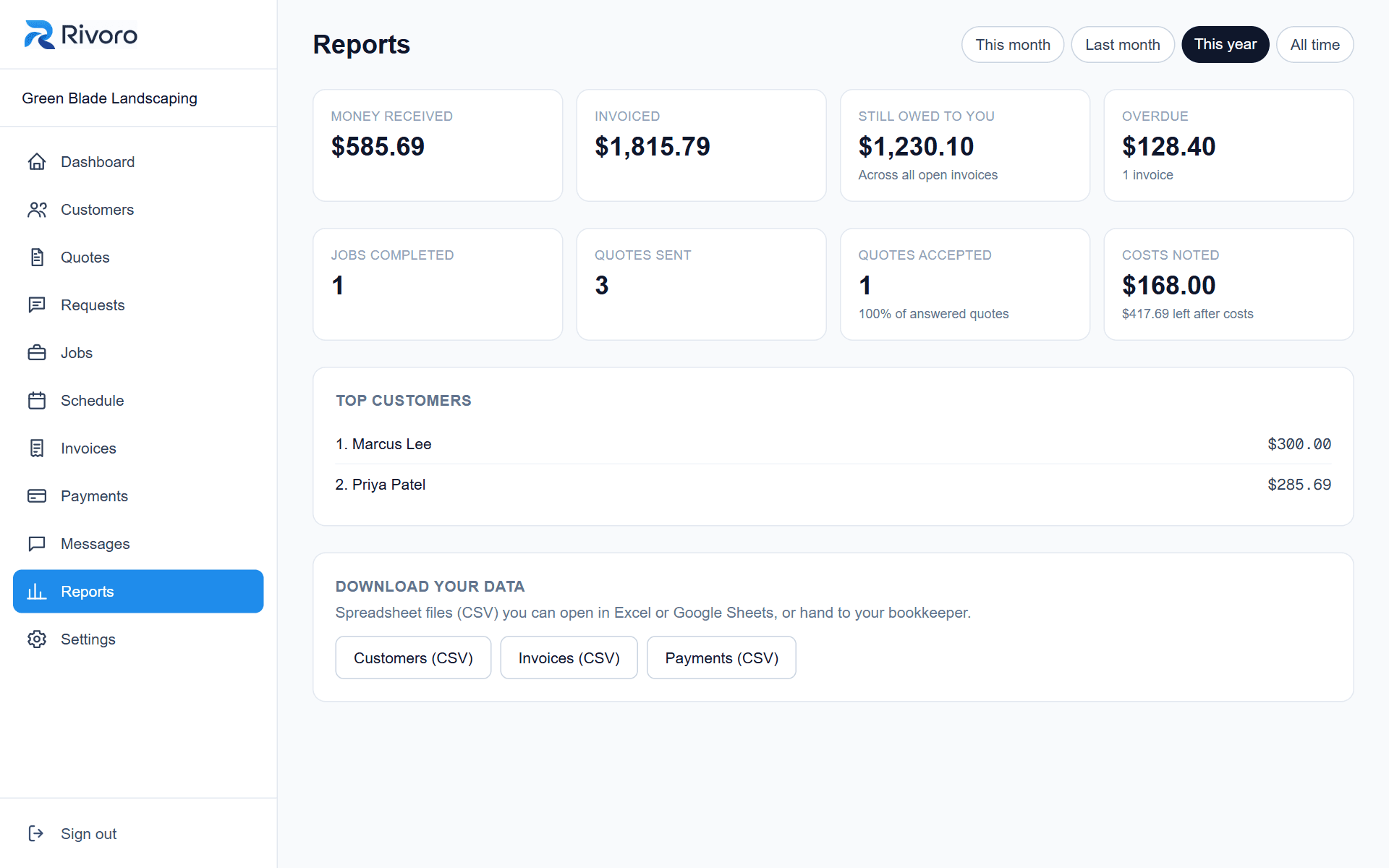
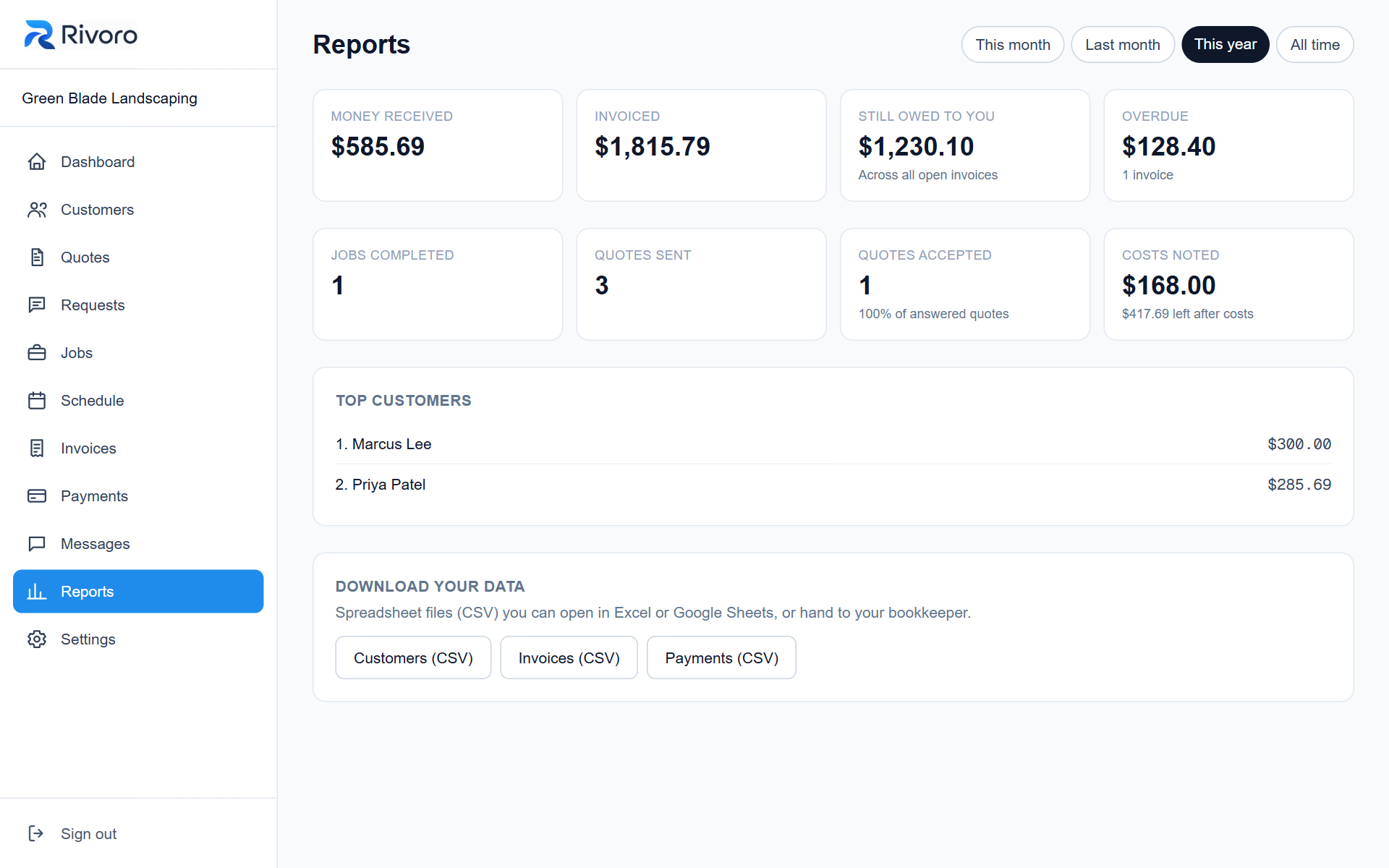
Simple reports
Money in, what's still owed, quotes won and your best customers. Download it all as spreadsheets.
And on your customer’s phone
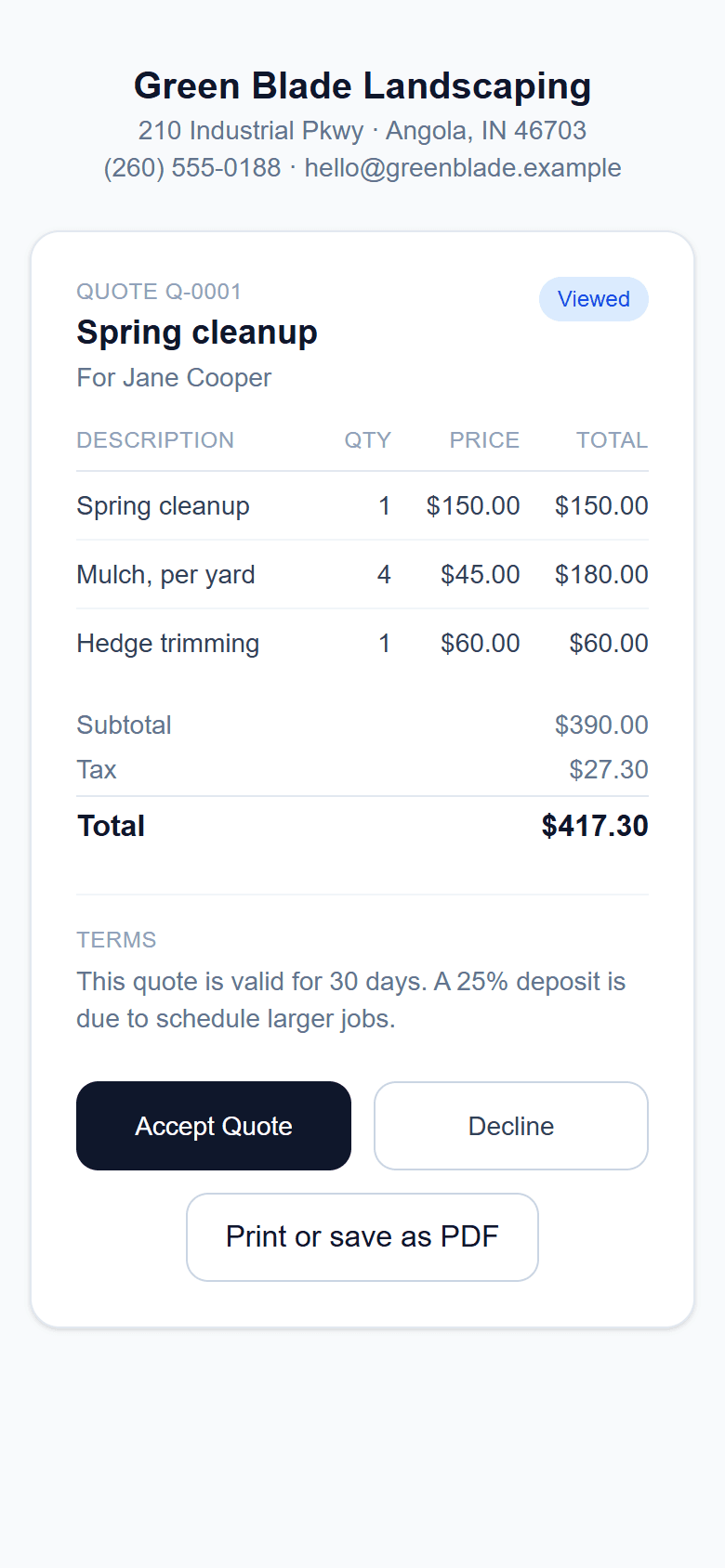
What your customer sees: a quote
They open the link on their phone, read it, and tap Accept. No app and no account.
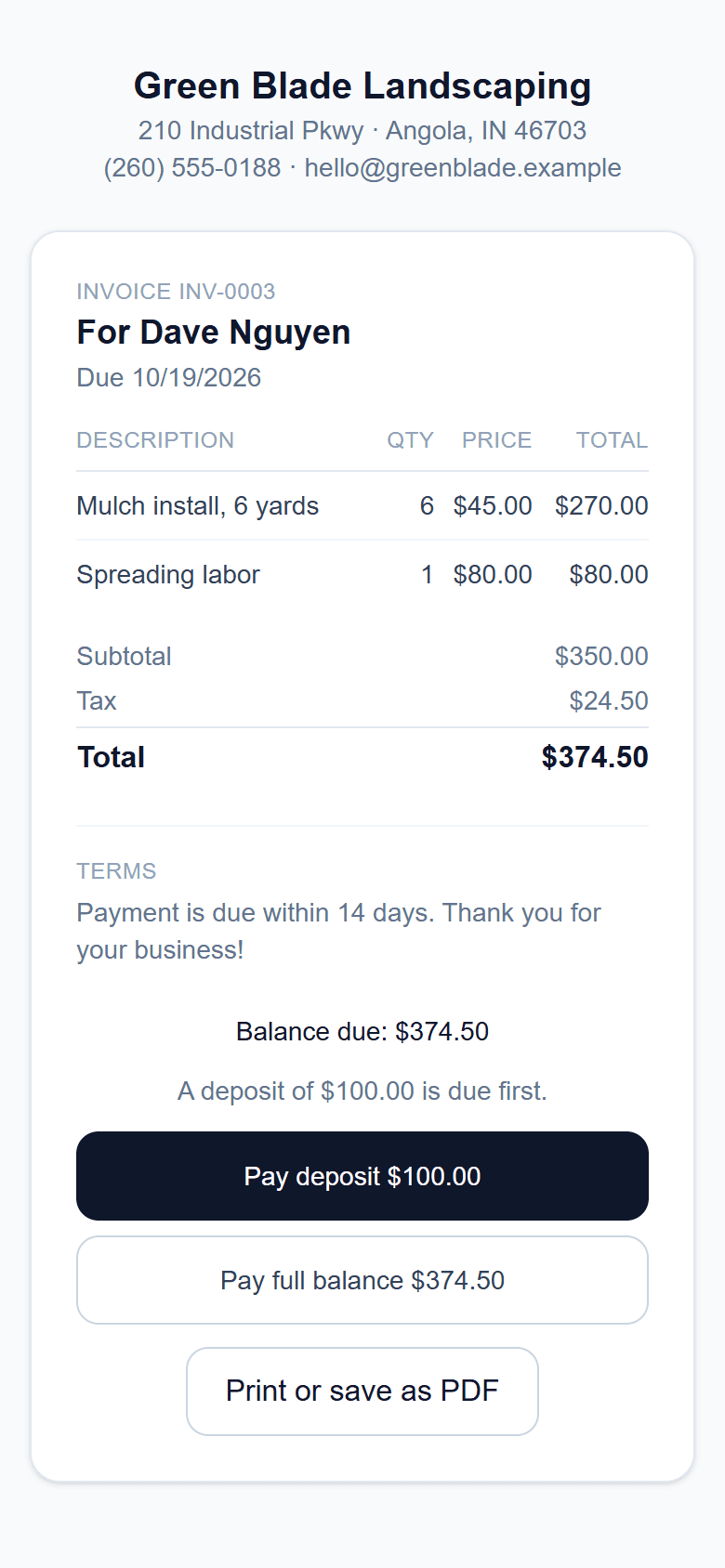
What your customer sees: an invoice
Card payments are coming soon: customers will be able to pay in a tap, or pay just the deposit first.
Screenshots show a sample business with made-up customers and data.
Everything in one place
No more notebooks, texts and spreadsheets. Here’s what’s included.
Quotes customers can accept online
Write a quote in a minute. The customer gets a link, taps Accept, and you're emailed straight away. Accepted quotes turn into jobs.
Jobs and a simple schedule
See today and the week at a glance, with one-tap directions for the day's stops. Set up weekly or monthly repeat jobs in one go.
Invoices, deposits and part payments
Send an invoice by email. Ask for a deposit up front if you like, and record cash and checks as they come in, including part payments.
Card payments, coming soon
Customers will be able to pay right from the invoice link, with the money going straight to your own Stripe account. These open after early testing.
Before and after photos
Take photos on the job, and let Rivoro write a short work summary for the customer from your notes.
Automatic reminders
Appointment reminders, invoices coming due, and overdue notices go out by email on their own. You can switch any of them off.
A page for new customers
Get your own “request a quote” page to share on Facebook, a flyer or a truck sign. Requests land in your inbox inside Rivoro.
A private page for each customer
Share one link and your customer sees all their quotes and invoices, and accepts quotes, without making an account.
Your price list
Save the services you quote again and again. Tap one to add it with the usual price already filled in.
Reports and your data
See what's come in, what's owed and who your best customers are. Download customers, invoices and payments as spreadsheets, or everything in one file.
Teammates and crew
Invite helpers by email. Crew can work jobs and customers without seeing quotes, invoices or payments.
Print or save as PDF
Any quote or invoice prints cleanly with your logo, your details and your own wording at the bottom.
Made for your trade
Tell us what you do and we fill in examples and one-tap shortcuts that fit. Nothing is locked, and you can change it any time.
- Landscaping & lawn care
- Cleaning services
- Handyman & repair
- Heating & cooling (HVAC)
- Plumbing & electrical
- Painting
- Pressure washing, gutters & snow
- Other service business
Up and running in minutes
- 1
Sign up
Just your name, email and a password. Or use Google or Microsoft. No card needed.
- 2
Tell us your trade
We tailor the examples and one-tap shortcuts to the work you do.
- 3
Add a customer and send a quote
Your dashboard has a short checklist to walk you through it.
- 4
Get paid
Invoice the job, and record the payment when it comes in.
Questions
What does it cost?
Rivoro is free while we're in early testing, and paid plans open later. You're never charged unless you choose a plan, and you can download all your data whenever you like.
Do I need a credit card to start?
No. You can sign up and use everything without entering a card.
Do my customers need an account?
No. They get a link by email. They can view a quote and accept it, or look at an invoice, right from their phone.
Can I use it on my phone?
Yes. It's built to work from a phone at the job site, in your browser. Nothing to install.
Can customers pay by card?
Not yet. Card payments open after early testing. For now you record cash and checks on the invoice, including deposits and part payments.
Can my employees use it?
Yes. Invite them by email as a teammate (sees everything except billing) or as crew (jobs and customers only, no money screens).
Can I bring my customers over from a spreadsheet?
Yes. Save your list as a CSV file and import it in a couple of clicks. Duplicates are skipped.
Can it send text messages?
Not yet. Reminders and quotes go out by email for now.
Who do I contact if I need help?
Email us at rivoro.business@outlook.com, or use the Feedback button inside the app. We read everything.
Can I take my data with me?
Yes. Settings has a one-click download of everything, plus a ZIP of your job photos, and spreadsheets for customers, invoices and payments.
Ready to try it?
Free while we’re in testing. No card. Tell us what’s missing with the Feedback button, and we’ll listen.